What LeanTrack is
Lean as in nothing extra: everything a team needs to keep track of its work, and nothing it doesn't.
LeanTrack is a self-hosted ticket tracker for teams that find the big tools too much. They can do everything, so setting them up is a project of its own, and their words — Epic, Story, Sprint — don't say what they are. LeanTrack keeps the part almost every team actually uses: a list of things to do, who's doing them, where they stand, and what happened along the way.
What it's explicitly not
LeanTrack is not a project management suite. There are no boards to drag cards across, no sprints, no story points, no workflows to design and no custom fields to configure. Every status can move to every other status, and LeanTrack works out of the box. That's a choice, not a missing feature: there's nothing to set up before you can start.
How it's structured
-
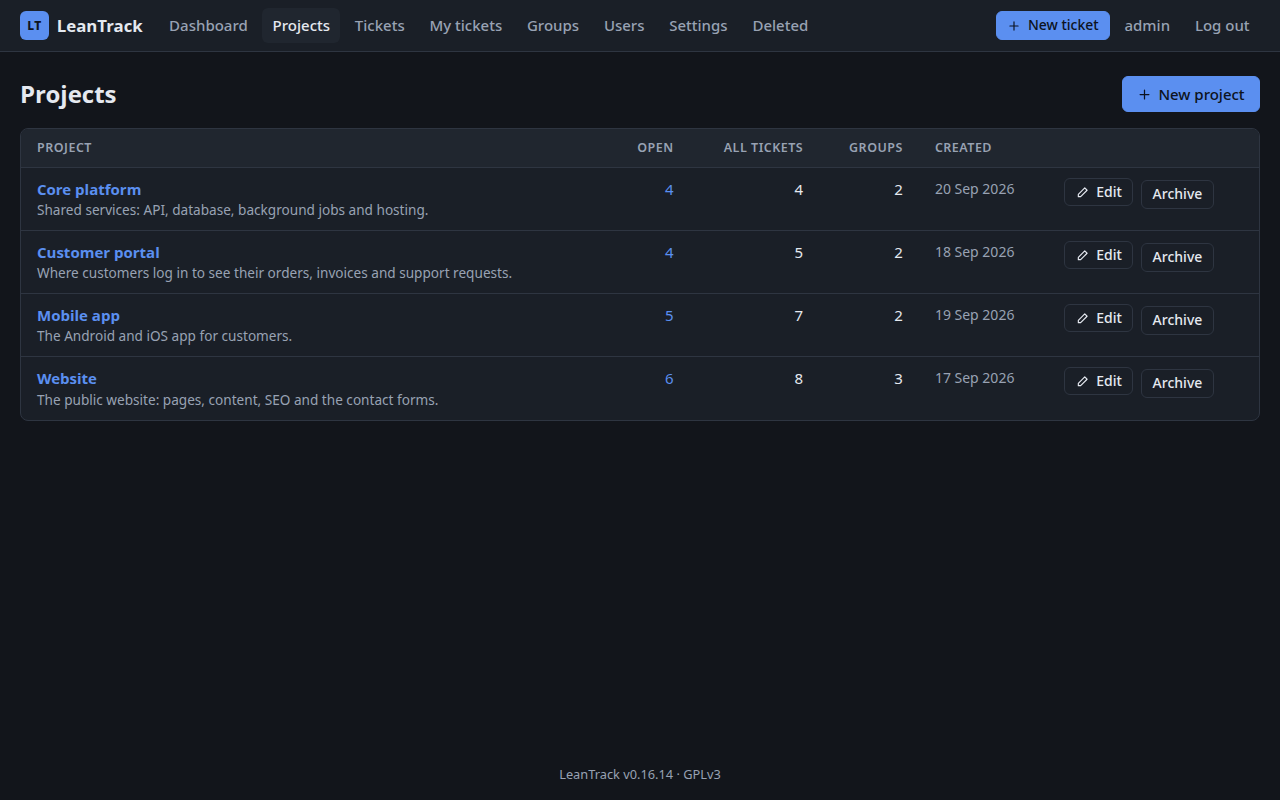
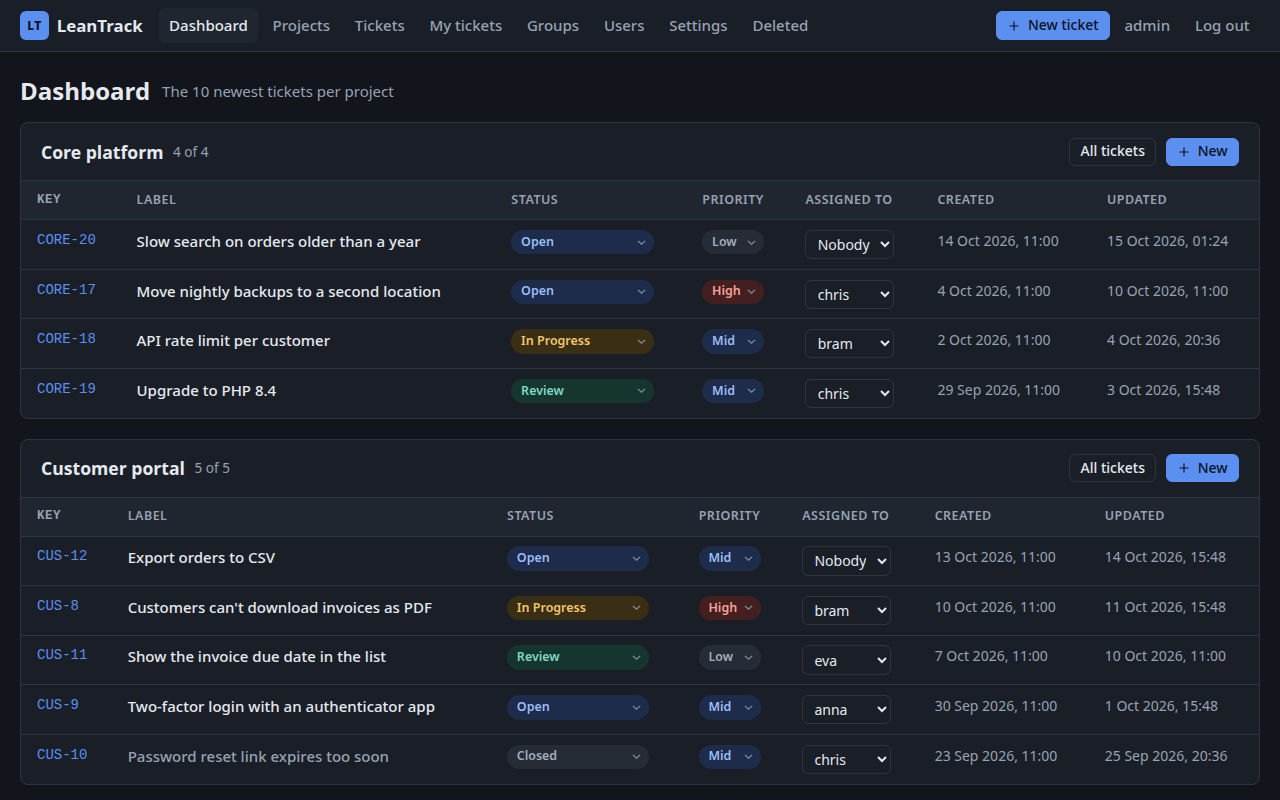
Project
The top level — a website, an app, a customer. Every ticket belongs
to exactly one project, and the dashboard shows the ten newest
tickets of each that aren't closed.
-
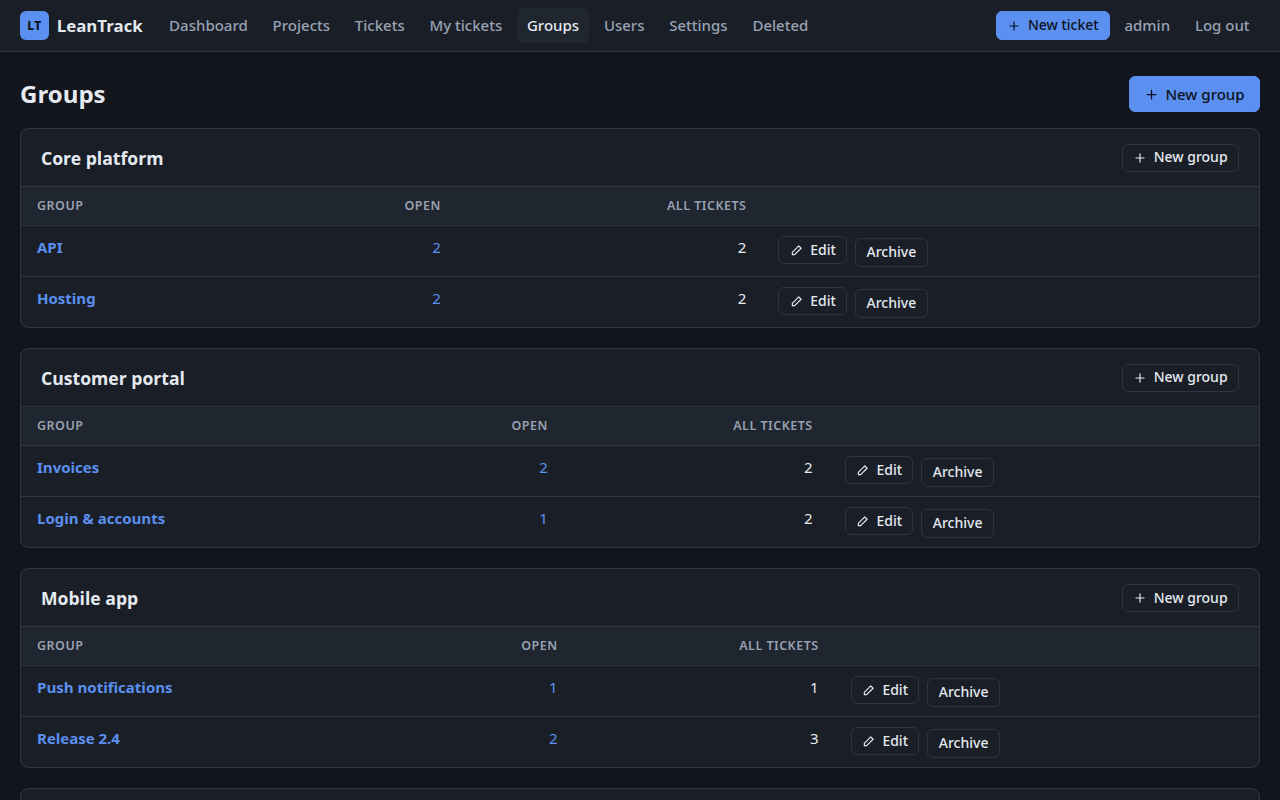
Group
A named set of tickets inside a project — a release, a theme, a
topic. A ticket can be in several groups of its project at once, so a
bug can be part of both "Release 2.4" and "Push notifications".
-
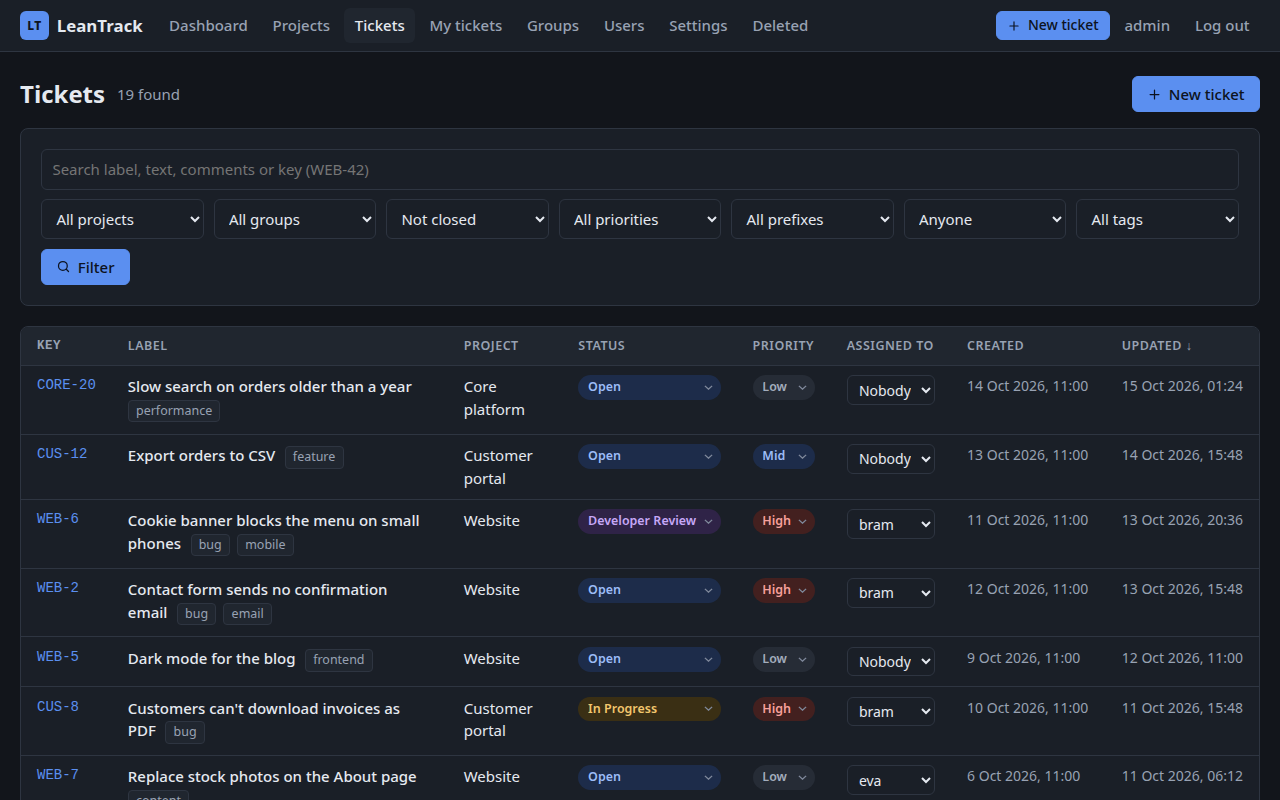
Ticket
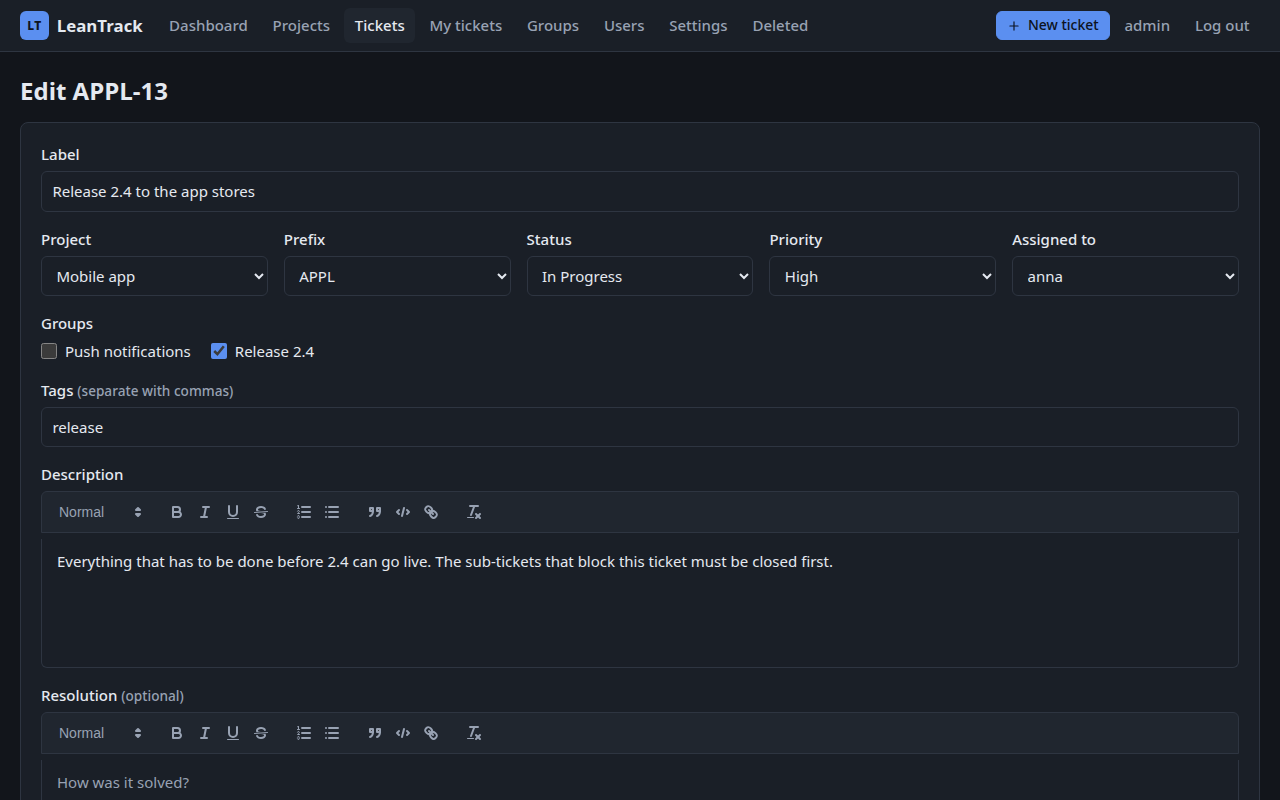
One piece of work: a label, a rich-text description and (when it's
done) a resolution, a status, a priority, one assigned user, the
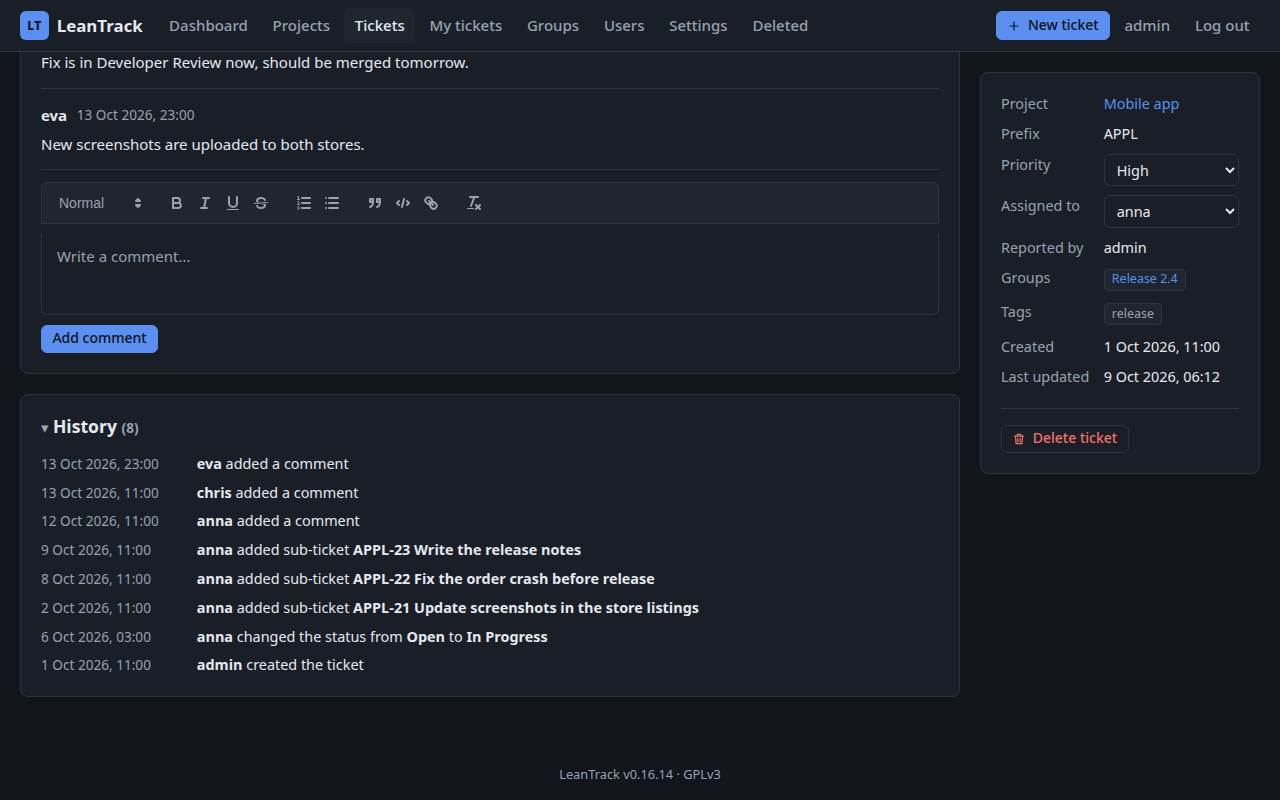
reporter, tags and attachments. Comments and a full change history
sit underneath.
-
Sub-ticket
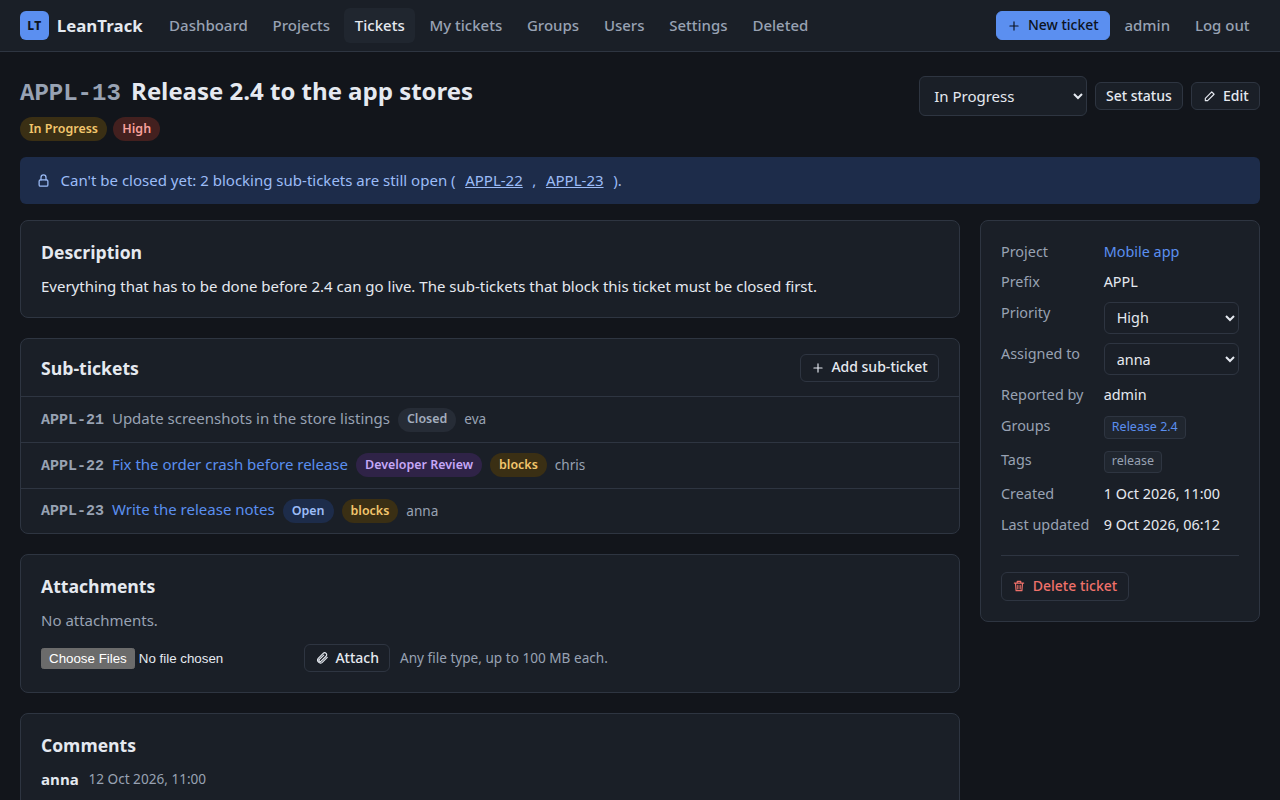
A smaller piece of a ticket, one level deep. A sub-ticket can
block its parent: the parent can't be closed while a
blocking sub-ticket is still open.
Statuses and priorities
LeanTrack starts with five statuses:
- Open
- In Progress
- Developer Review
- Review
- Closed
The admin can rename them, give them a colour, change their order, add new ones, remove ones nobody uses, and move all tickets from one status to another. Closed always stays: it's the one that closes a ticket.
Any status can go to any other — no workflow decides it for you. The priority is Low, Mid or High. Status, priority and the assigned user can be changed straight from every ticket list and from the ticket itself; they're saved the moment you pick a new value.
Ticket keys
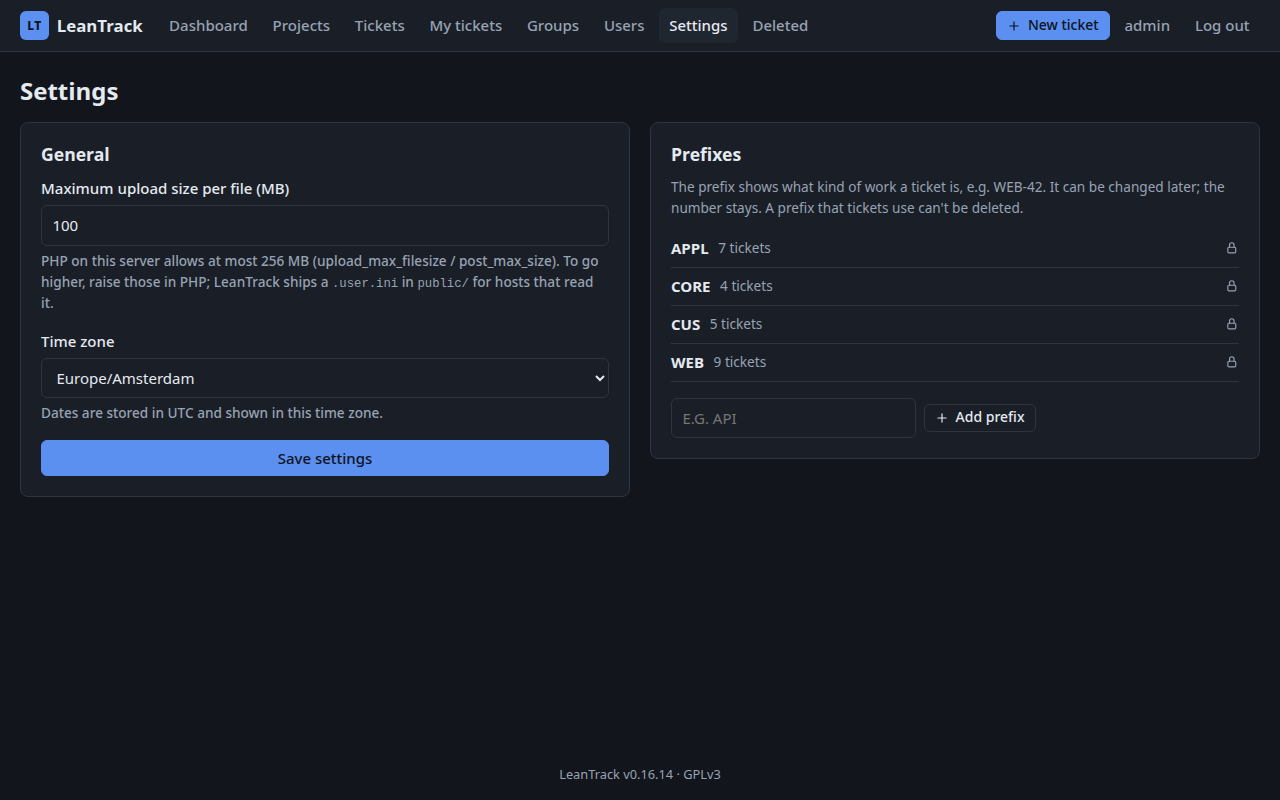
Every ticket gets a key such as WEB-42: a prefix and a
number. The admin decides which prefixes exist; the number is one
counter shared by all tickets. Changing a ticket's prefix keeps its
number, and links only use the number, so a link to a ticket never
breaks.
Who sees what
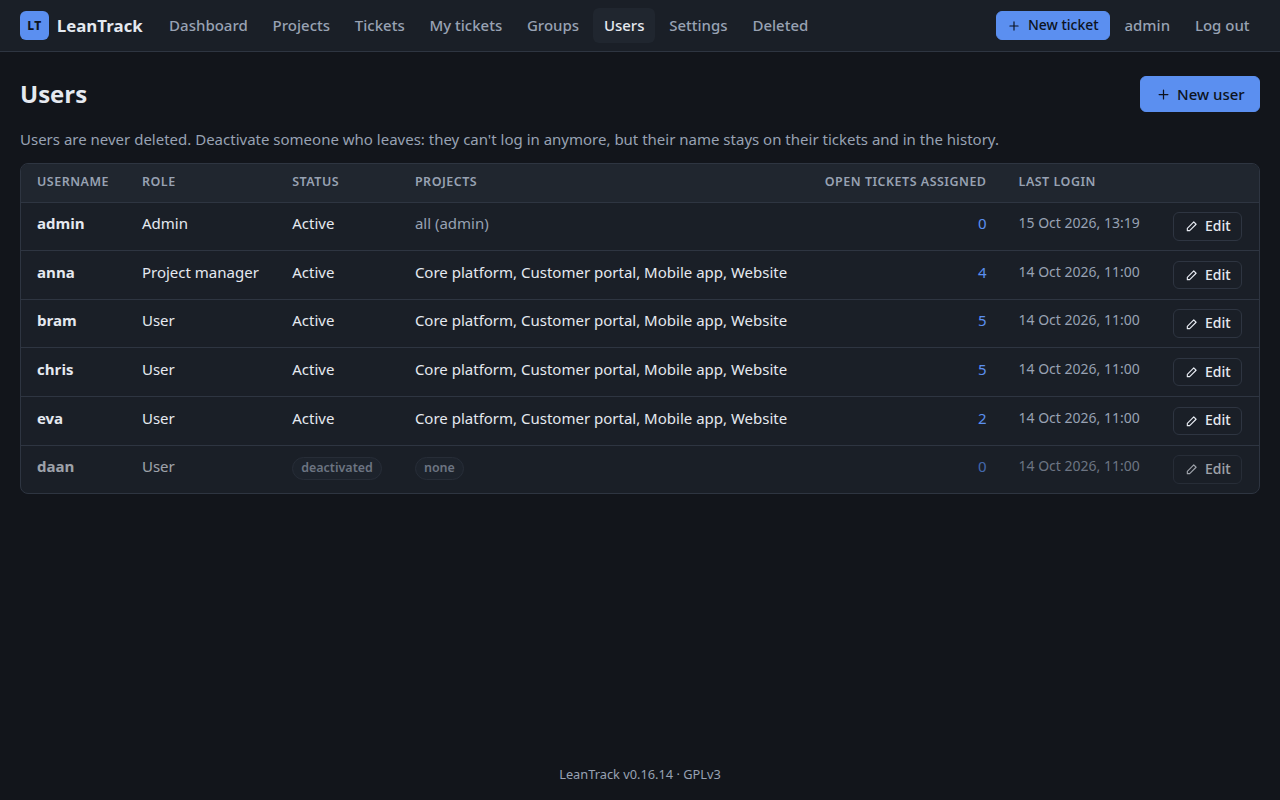
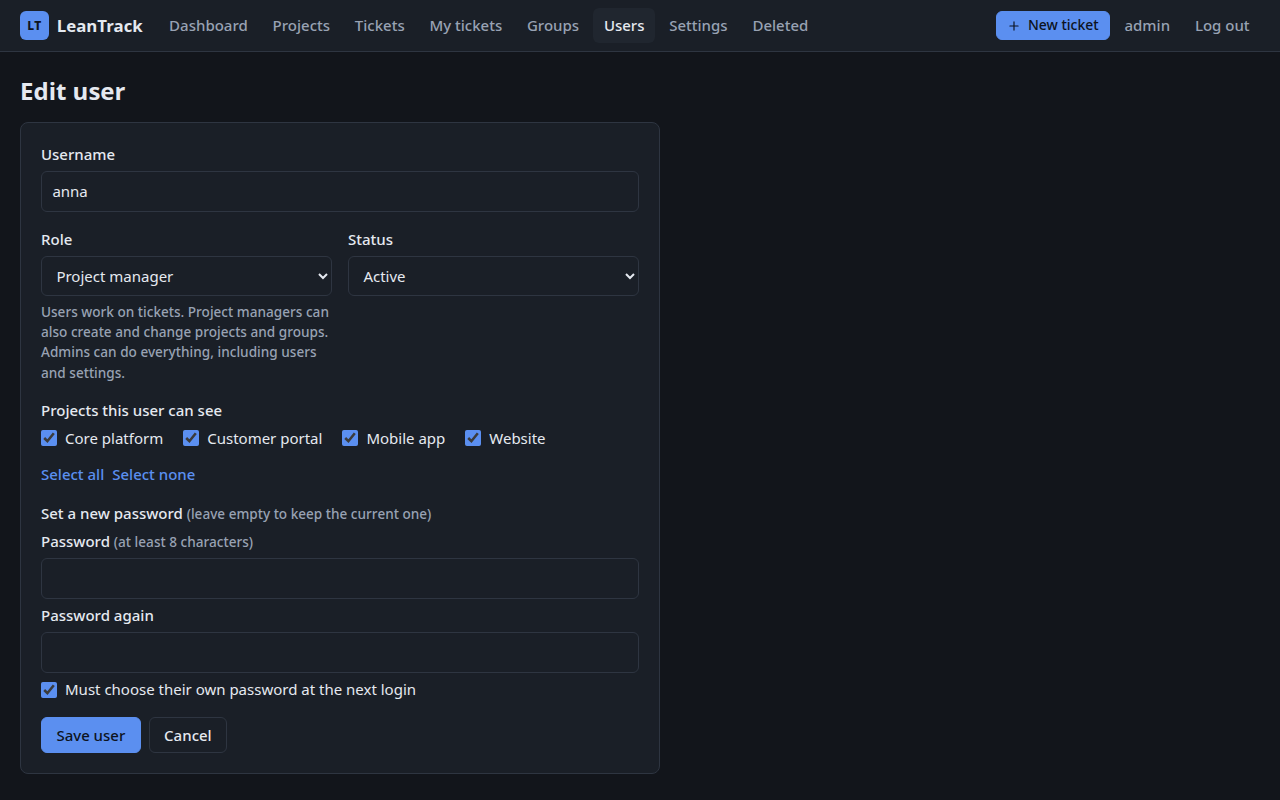
Everyone logs in, and every account has one of three roles:
- Admin — everything, including users and settings.
- Project manager — tickets, plus creating, editing and archiving projects and groups, and choosing which of their projects other users can see.
- User — tickets.
Admins see every project. For everyone else, the admin ticks which projects they can see; project managers also see the projects they create, and can tick or untick their own projects for users and other project managers. A project you can't see simply doesn't exist for you, and a ticket can only be assigned to someone who can see its project.
Nothing is ever deleted
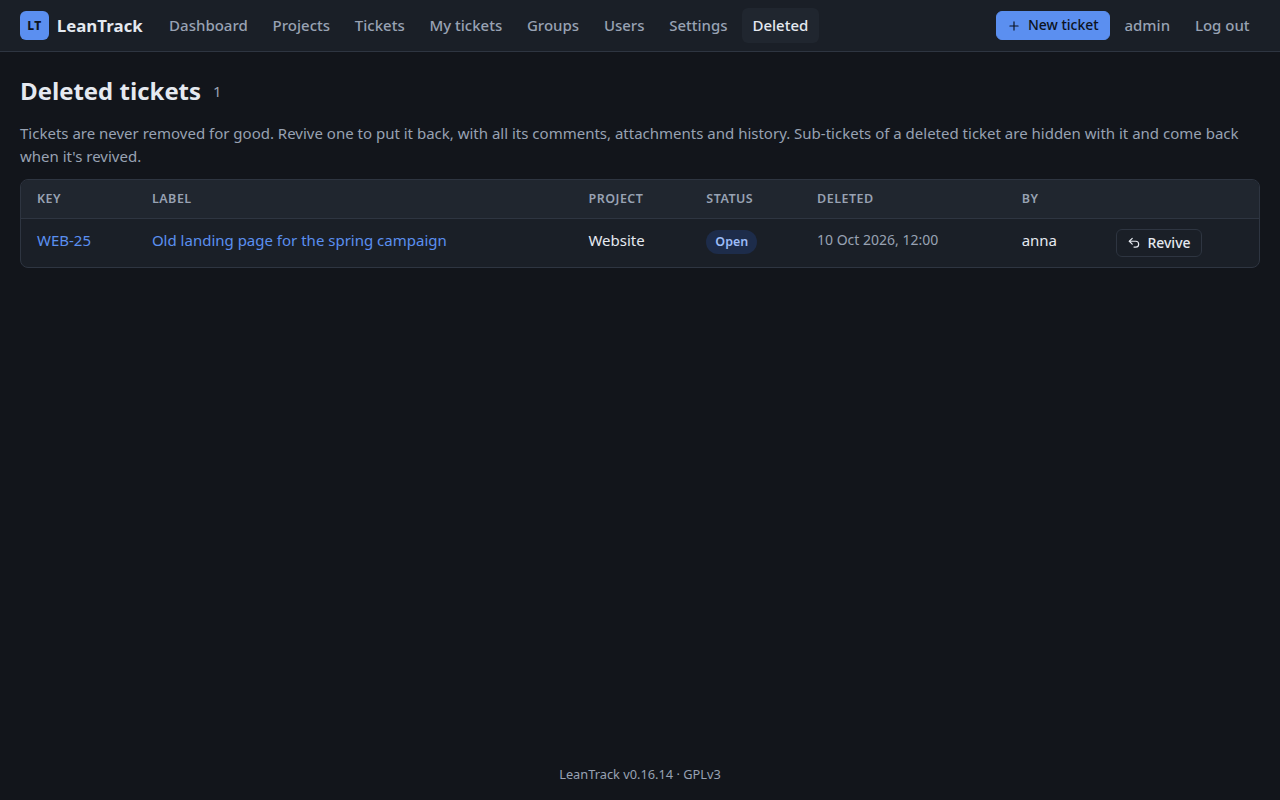
Deleting a ticket doesn't remove it — it moves to Deleted, where an admin or project manager can revive it with one click, history and all. Projects and groups are archived instead of deleted, and users are deactivated, so their name stays on everything they worked on.
Search, comments and history
Search looks through labels, descriptions, resolutions and comments, and every field can be filtered on. Each list remembers your last filters, on any device, and with the Columns button everyone chooses which columns they see. My tickets shows what's assigned to you. Comments can be edited and deleted by the person who wrote them. Every change to a ticket — status, priority, assignee, groups, tags, attachments — is written to its history: who did what, and when.
Watchers and email
Watch a ticket yourself, or add others who can see the project. When someone else changes a ticket you watch, it gets a dot in every list, the dashboard shows it at the top, and the new history lines are marked when you open it. Everyone chooses for themselves whether they also get an email. LeanTrack sends email through your own SMTP server or PHP's mail(), set by the admin, with a button to send a test email.
Backups
Daily database backups, started by a cron job or a monitor like UptimeRobot, can be downloaded and restored by the admin.
Language and your own words
LeanTrack speaks English and Dutch. The installer sets the default, and each user can pick their own language under My account; emails go out in the recipient's language. Not tracking software? Call your tickets and projects something else, like "cases" and "clients": the words are set during the install or later in Settings, and the Dutch texts follow the grammar of the word you choose.
Only what you need
Sub-tickets, priorities and the assigned user can each be switched off in Settings. Switched off means hidden, never deleted: switch it back on and everything is still there.
Attachments
Any file type can be attached to a ticket, up to 100 MB by default (the admin can change that, within what PHP allows). Files are stored on disk outside the web root, never in the database, and are only handed out to people who can see the ticket.
How it's meant to be deployed
LeanTrack is open source at the code level. Each real deployment is one instance for one team or company, on a server of their own choosing, with their own database. It's not a hosted service and there's no central LeanTrack server — the tickets a team writes are theirs alone.
Nothing stops you from running as many instances as you like. Each can have its own database, or several can share one: give the installer of a new instance the same database details as an existing one, and it sees that LeanTrack's tables are already there and leaves them as they are — no new tables, no new admin account. You then log in with the accounts that already exist.
Two things to keep in mind when instances share a database. Attachments
are stored on the disk of the instance they were uploaded to, so the
others can't open them unless they share its storage/uploads/
folder. And keep every instance on the same version: an updated
instance updates the shared database for all of them.
Access & security
Every page needs a login. Passwords are stored as hashes, never as text, and after a fresh install the admin account has to choose a new password before it can do anything else. Too many failed logins from one address block further tries from it for fifteen minutes. Two-factor login with an authenticator app is built in: each user can turn it on under My account, with ten one-time recovery codes, and the admin can require it for everyone. A device can be remembered for a set number of days (100 by default), so the code isn't asked every time. Rich text is cleaned before it's saved, every form is protected against cross-site requests, and LeanTrack loads nothing from other servers — no fonts, no scripts, no tracking.
That makes it fine to run on a public address, as long as it's served
over HTTPS. Keep the server itself up to date, and make regular backups
of the database and the storage/ folder — LeanTrack never
throws anything away, but it can't protect against a disk that does.